Deep work focus
Focus you can prove.
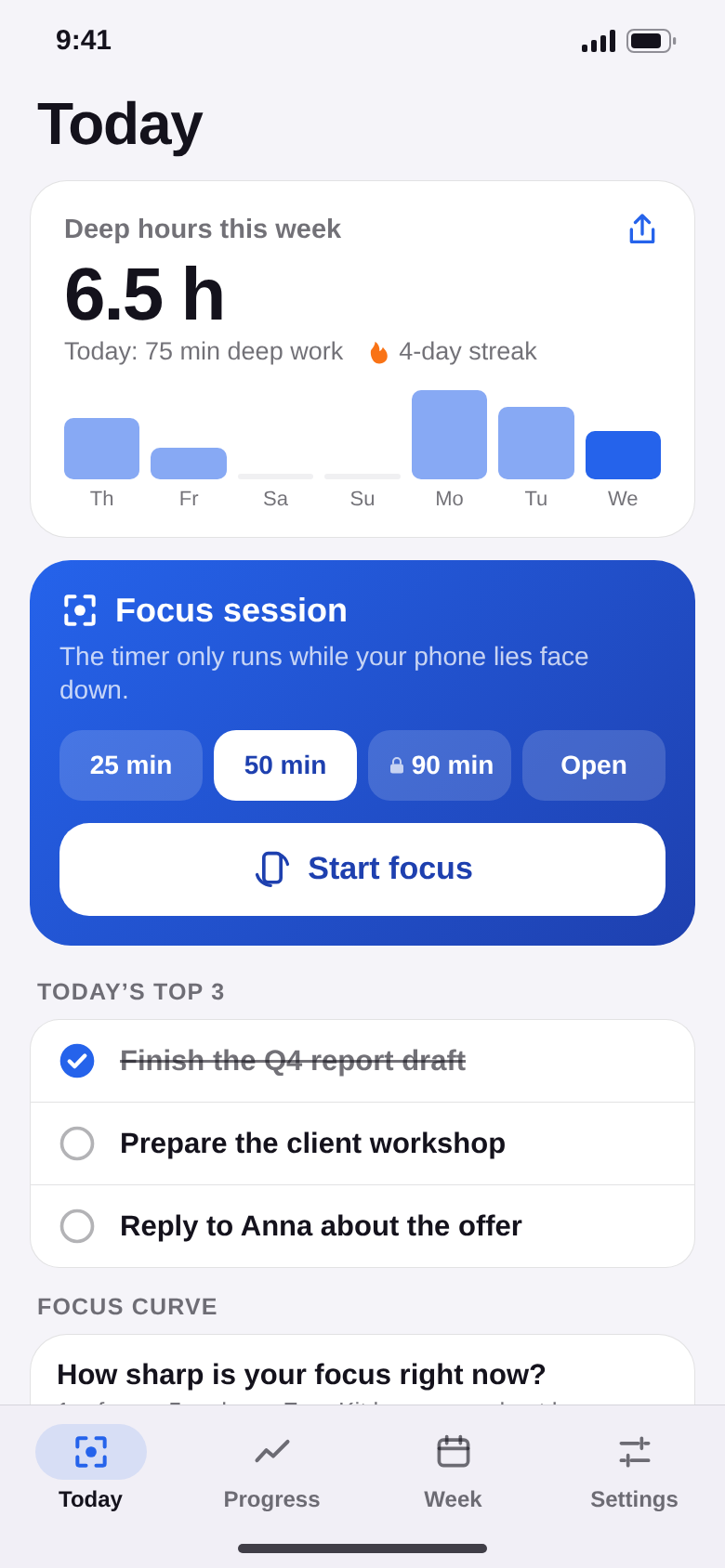
Start a session and turn your phone face down. The timer only runs while it stays there – pick it up and it pauses. Every week you see how many deep hours you really did.


- No account
- Stays on your phone
- Free to start
Coming soon to Google Play.
Coming soon to the App Store.
Your phone is the loudest
person in the room.
A glance at the screen costs minutes of focus. ZoneKit turns the phone into your ally: face down means the clock is running – and you can see every week how much deep work you really did.
How it works
Flip it. Focus. Done.
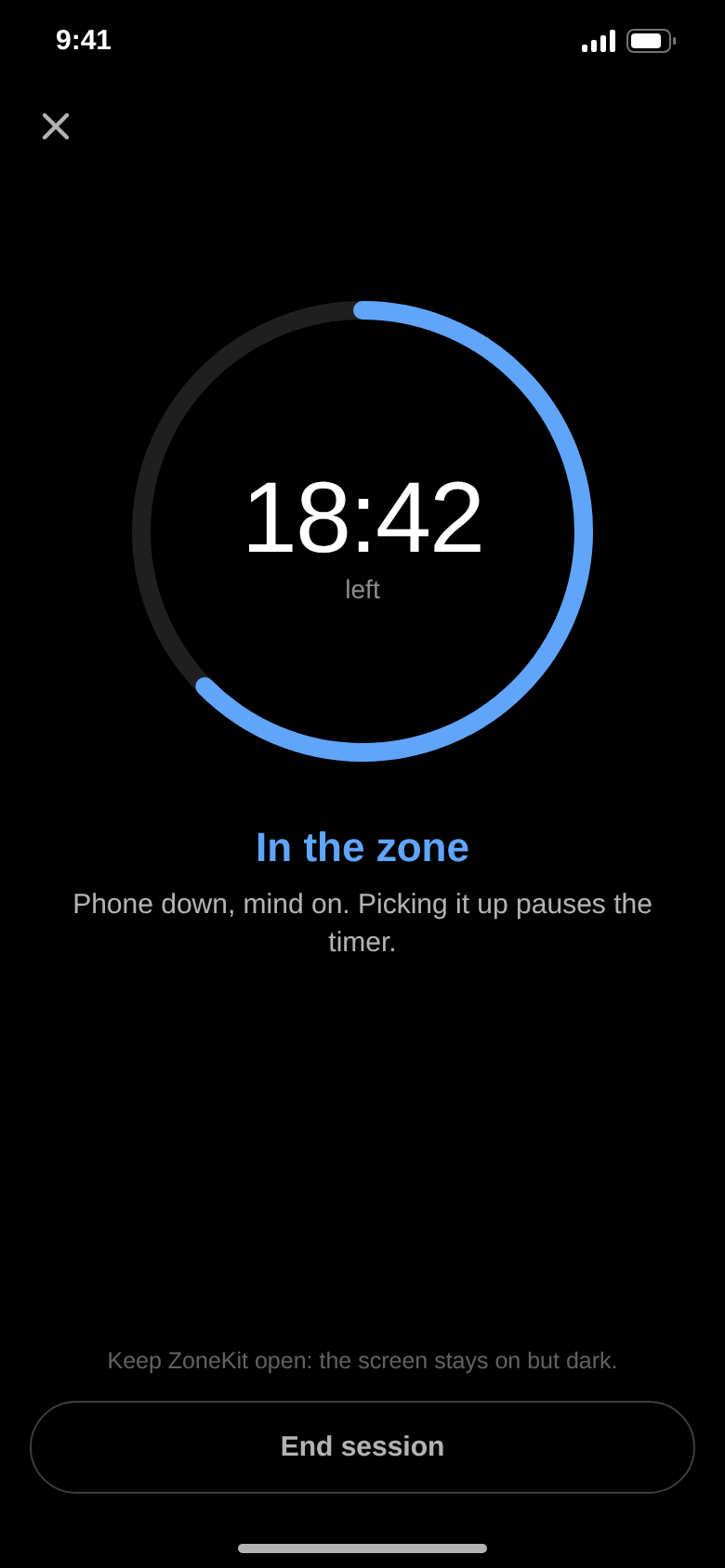
Pick 25, 50 or 90 minutes – or an open session – and lay your phone face down. The timer starts by itself. Pick it up and you get five seconds of grace, then the clock pauses.
Left it in your hand for 30 seconds? The session ends and does not count. That is the whole trick – it makes every deep hour real.
Six tools for deep work.
Focus proof
The motion sensor checks that your phone lies face down. Picked up: pause. 30 seconds: the session ends. Every deep hour counts honestly.
Focus curve
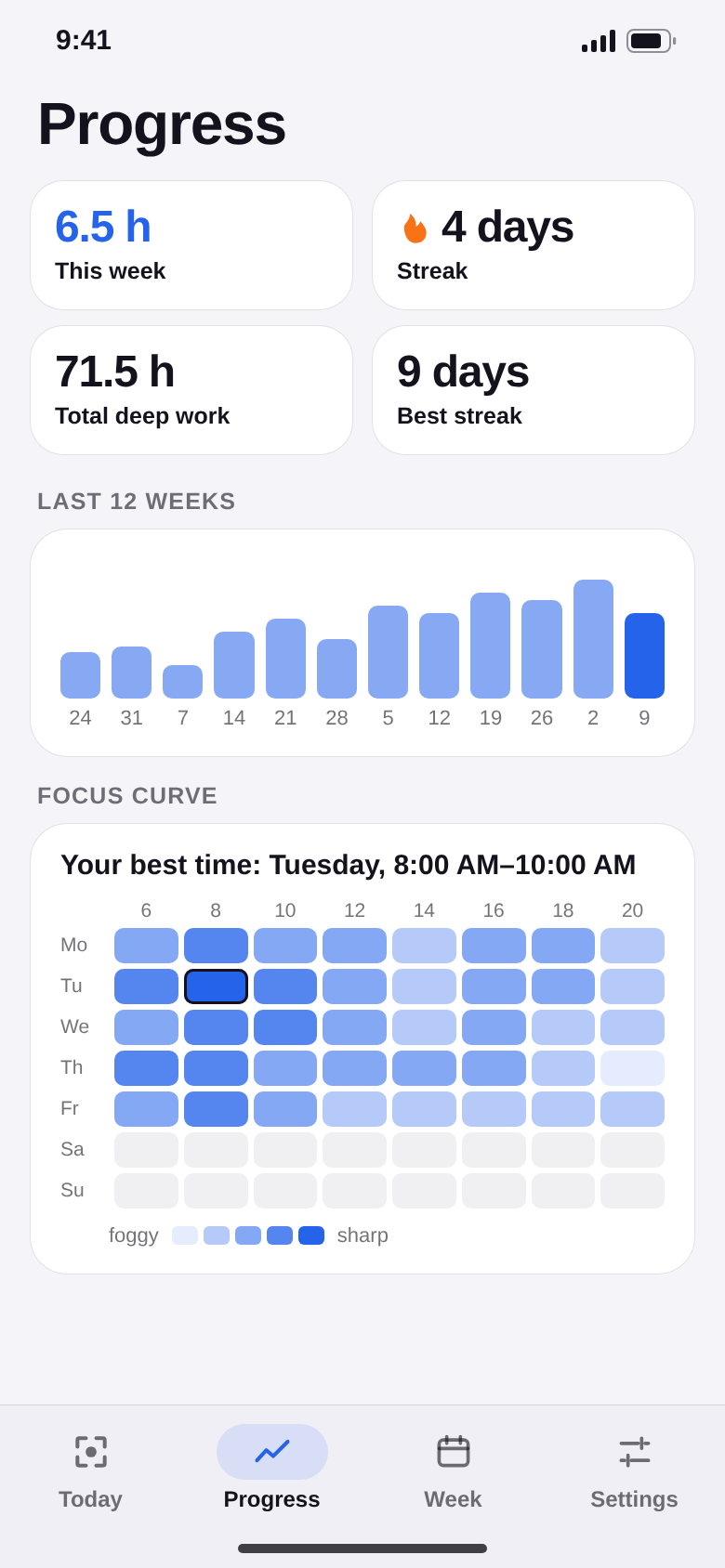
Three times a day: how sharp are you, 1 to 5? After 14 days a heatmap shows your best hours – put your hardest work there. Pro.
Time x-ray
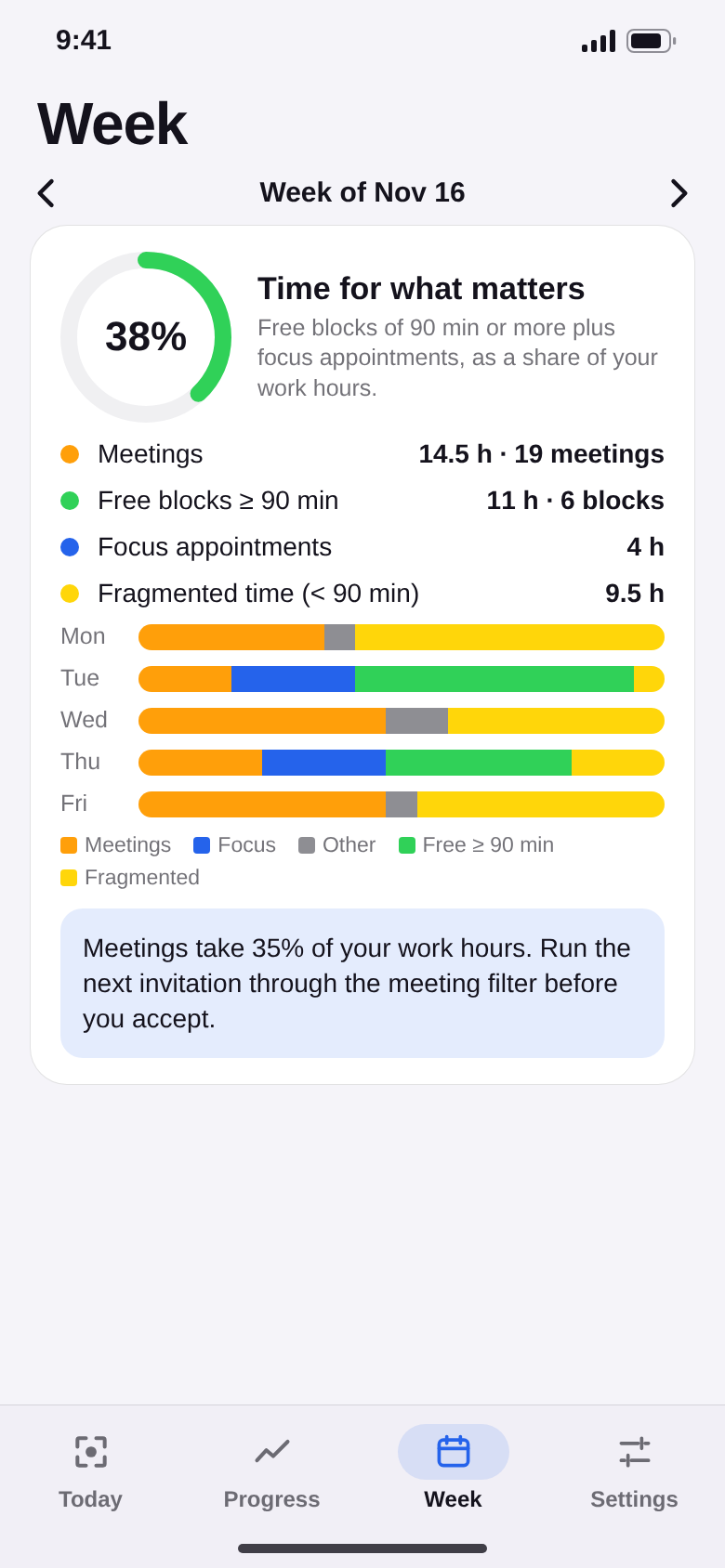
Reads your calendar on the phone only: meetings vs. free blocks of 90 minutes and your score “time for what matters”. Nothing is changed or uploaded. Pro.
Meeting filter
Three questions before you accept: clear goal? really needed? possible in writing? You get a decision, the minutes saved and a polite reply to copy.
Shutdown ritual
Two minutes at the end of the day: write down open loops, tick off what is done, pick tomorrow’s top 3. In the morning they are waiting for you.
Weekly hours card
Share an image with your deep hours of the week, your sessions and your streak – only the picture, never your data.
Your week
Where did your week go?
The time x-ray sorts your calendar into meetings, focus appointments and free time – and finds the blocks of 90 minutes or more where real work fits.
Too many meetings? Run the next invitation through the meeting filter and keep track of the hours you saved.
Progress
Know your best hours.
Deep hours per week, your streak and a 12-week trend. The focus curve shows on which day and at what time you think best.
No account, no cloud, no AI. Your sessions and your calendar never leave your phone.
The difference
Busy is not the same as deep.
- “Just one quick look” at the phonePhone face down, the timer proves it
- A full day, but nothing deep doneDeep hours per week, in black and white
- Hard tasks at the worst timeYour best hours from your focus curve
- Yes to every meetingThree questions, then decide
- Work thoughts at dinnerShutdown done, top 3 ready for tomorrow
For everyone who needs to think.
Founders and self-employed
Protect the hours that move your business forward – even on days full of calls.
Team leads
See how much of your week meetings eat – and win back blocks for planning.
Freelancers
Know how many really focused hours went into a project – not just how long you sat there.
Developers
Get into flow and stay there: 90-minute sessions, phone out of sight.
Students
Study for real instead of scrolling. The streak keeps you going every day.
Writers and creatives
Your best ideas need long, quiet stretches. ZoneKit guards them for you.
Quick questions.
Who is ZoneKit for?
What does ZoneKit cost?
How does ZoneKit make money?
How does the phone know it is face down?
Does my calendar leave my phone?
What if I really have to pick up my phone?
Is ZoneKit a pomodoro timer?
Which devices and languages are supported?

Your next deep hour starts with one flip.
Start a 25-minute session, lay your phone face down and get to work. ZoneKit counts – honestly.
Coming soon for Android and iPhone.